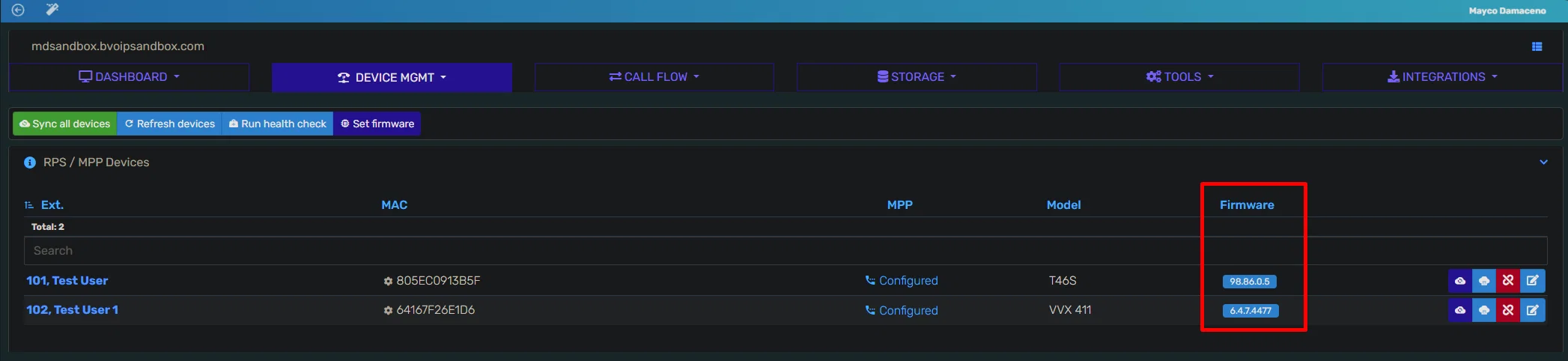
We are happy to announce a new partner feature request is now live in all regions in the Control Portal.
Previously, we only showed what firmware version a device was running on if you clicked on a status icon in our Devices menu.
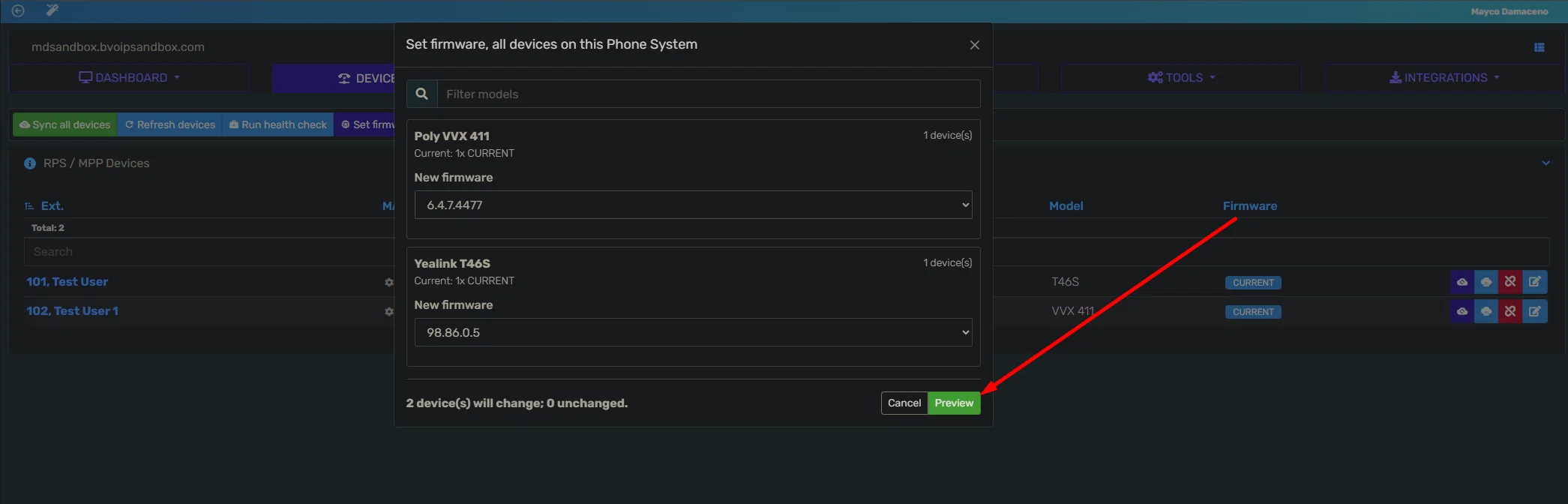
Now, you can set the firmware you want to shift a device(s) across all devices of a similar model type.
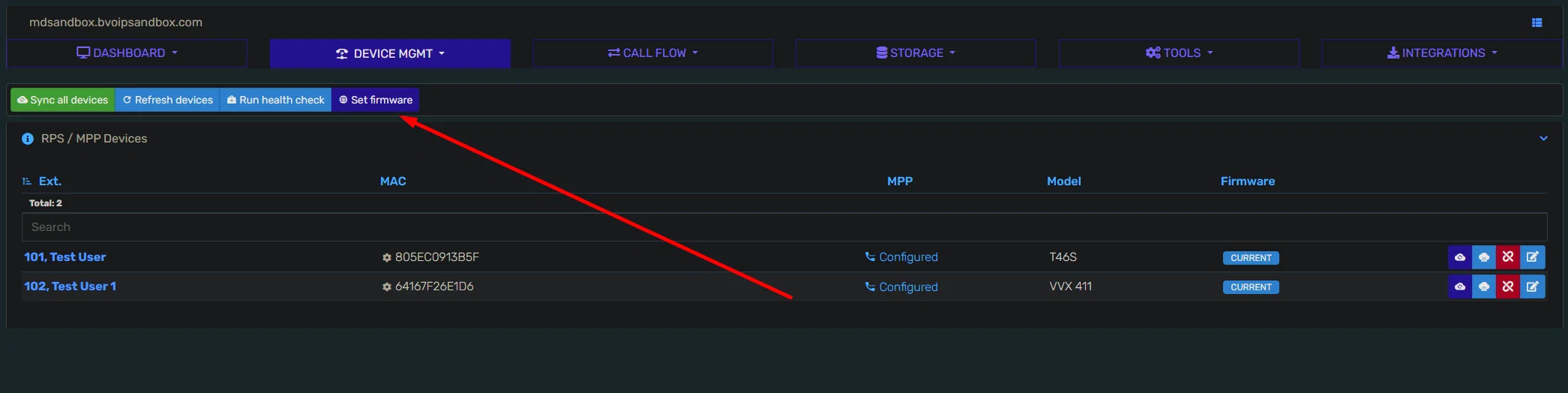
Under the Device Management tab, you can configure the firmware that will be sent to the device once the zero-touch provisioning gets triggered by the phone.
- Click on “Set Firmware”
2. Select the desired firmware, then hit “Preview”
3. Click on apply. After some time, you will see the new firmware reflected for the phone models you configured.