

Based on partner feedback, we have made 3 quick quality of life improvements in the Control Portal on the main dashboard screen that lists all of the accounts you manage.
When you first login, the portal takes you to Home - Dashboards
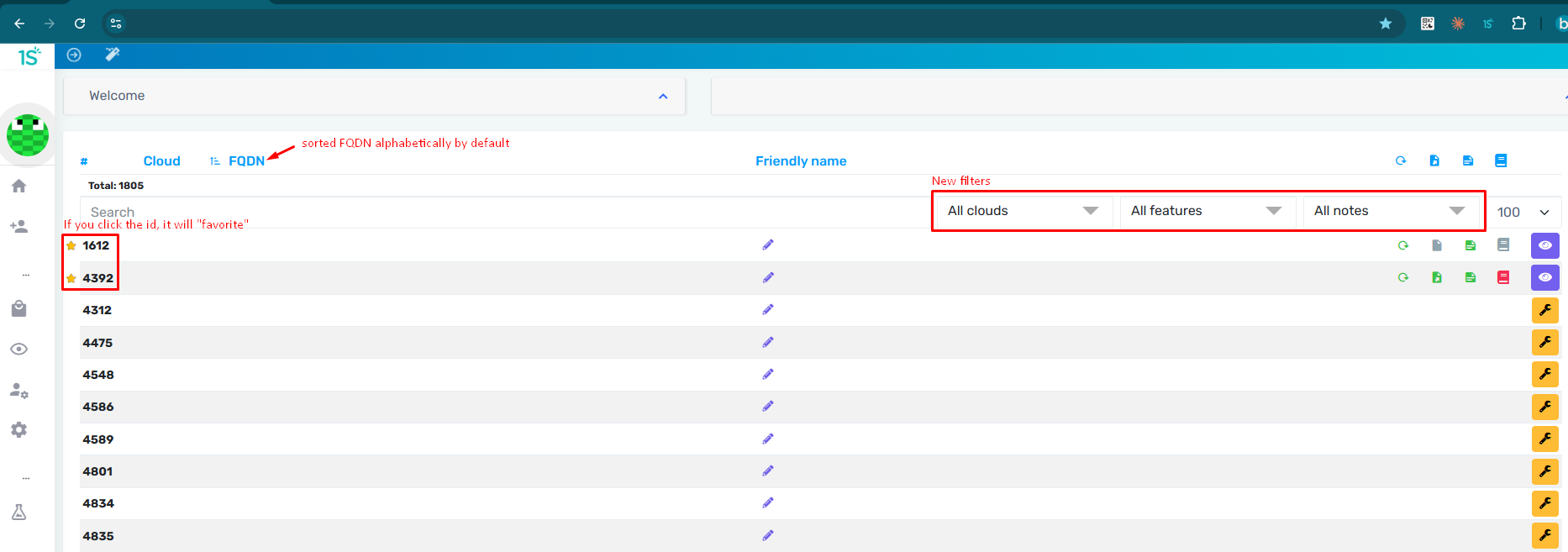
We have added three new elements to this screen.
Favorites
You can make favorite accounts by clicking the "Star" icon on the first column on the left of each account listing. Any "Starred" account will show up at the top of your account list.
Sorting
We have changed the default sorting to alphabetical order
Filters
We have added three filters:
- Data Center Regions - "Clouds"
- Features
- Notes